



Send money internationally, for occasions big and small
Transfers delivered at the speed of life. Serving 175+ countries.
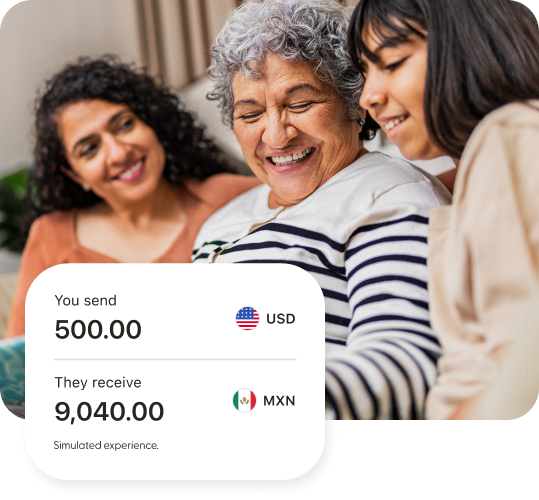
Pay professionals with Remitly Business
Send payments to global teams, vendors, contractors, and partners.
Support for business customers and recipients located in 170+ countries
Transparent pricing and delivery timelines
Pay with your bank account, debit card, credit card, and more
Support for business customers and recipients located in 170+ countries
Transparent pricing and delivery timelines
Pay with your bank account, debit card, credit card, and more
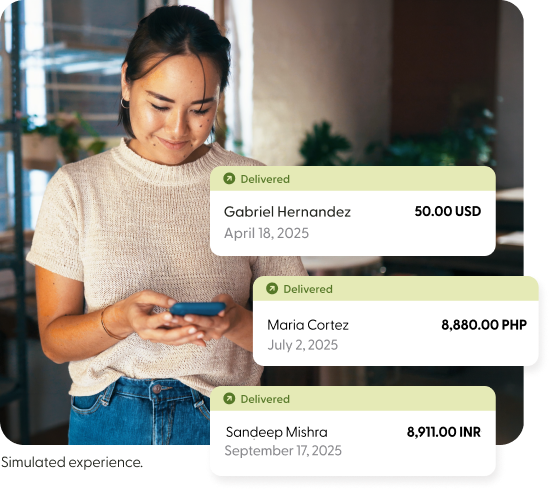
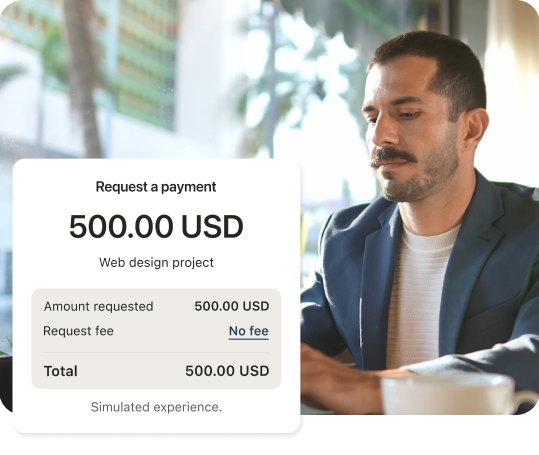
Get paid from clients around the world
Request and receive international payments directly in the Remitly app.
Product availability may vary by jurisdiction and is subject to change. Not an offer or solicitation where Remitly or its affiliates are not licensed or otherwise authorized. Availability and use of the products and services is subject to compliance with applicable law.
Secure transfers from start to finish
Licensed and regulated worldwide
We meet regulatory standards across the countries we operate in.
Protection at every step
Multiple levels of security mean your personal details stay private.
Get support in 18 languages
We’re here to help when you need it.
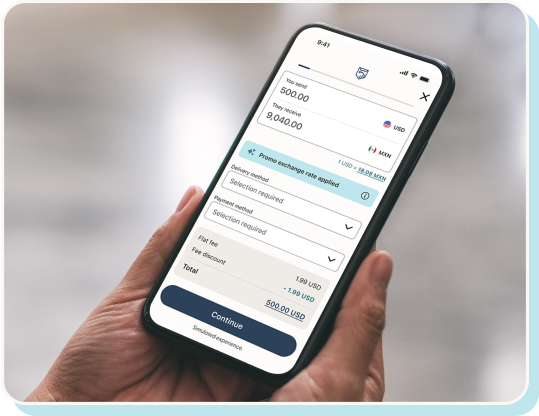
Make global money moves with our app
Scan the code with your phone to get the app

App ratings based on all countries/regions (App Store) and most recent ratings across all countries (Google Play). Ratings may vary based on user location and device type.
See what our customers are saying
The customer reviews displayed on this page are collected from Trustpilot and reflect individual experiences with our service. These reviews are provided for informational purposes only and represent the personal opinions of our customers. We do not endorse any particular statement. Individual results may vary, including by corridor, and the experiences described may not reflect the typical customer journey.
Beyond borders
The official Remitly blog

Remitly vs. Wise for India: Compare Fees, Exchange Rates, and INR Delivered From the US [2026]
Read more (opens in new window)
How Do I Change the Address for My Green Card?
Read more (opens in new window)
What Is Dual Citizenship, and How Does It Work?
Read more (opens in new window)Where can you send money with Remitly?
Select a country to get started with international money transfers.
- Albania
- Algeria
- Andorra
- Angola
- Anguilla
- Antigua and Barbuda
- Argentina
- Armenia
- Australia
- Austria
- Azerbaijan
- Bahamas
- Bahrain
- Bangladesh
- Barbados
- Belgium
- Belize
- Benin
- Bermuda
- Bhutan
- Bolivia
- Bosnia and Herzegovina
- Botswana
- Brazil
- Brunei Darussalam
- Bulgaria
- Burkina Faso
- Burundi
- Cabo Verde
- Cambodia
- Cameroon
- Canada
- Cayman Islands
- Chile
- China
- Colombia
- Comoros
- Congo Brazzaville
- Costa Rica
- Cote d'Ivoire
- Croatia
- Cyprus
- Czech Republic
- DR Congo
- Denmark
- Djibouti
- Dominica
- Dominican Republic
- Ecuador
- Egypt
- El Salvador
- Equatorial Guinea
- Eritrea
- Estonia
- Eswatini
- Ethiopia
- Fiji
- Finland
- France
- Gabon
- Gambia
- Georgia
- Germany
- Ghana
- Gibraltar
- Greece
- Guatemala
- Guinea
- Guinea Bissau
- Guyana
- Haiti
- Honduras
- Hong Kong
- Hungary
- Iceland
- India
- Indonesia
- Ireland
- Israel
- Italy
- Jamaica
- Japan
- Jordan
- Kazakhstan
- Kenya
- Kiribati
- Kosovo
- Kuwait
- Kyrgyzstan
- Laos
- Latvia
- Lebanon
- Lesotho
- Liberia
- Liechtenstein
- Lithuania
- Luxembourg
- Madagascar
- Malawi
- Malaysia
- Maldives
- Mali
- Malta
- Mauritania
- Mauritius
- Mexico
- Moldova
- Monaco
- Mongolia
- Montenegro
- Morocco
- Mozambique
- Myanmar
- Namibia
- Nepal
- Netherlands
- New Zealand
- Nicaragua
- Niger
- Nigeria
- North Macedonia
- Norway
- Oman
- Pakistan
- Panama
- Papua New Guinea
- Paraguay
- Peru
- Philippines
- Poland
- Portugal
- Puerto Rico
- Qatar
- Romania
- Rwanda
- Saint Kitts and Nevis
- Saint Lucia
- Samoa
- San Marino
- Saudi Arabia
- Senegal
- Serbia
- Seychelles
- Sierra Leone
- Singapore
- Slovakia
- Slovenia
- Solomon Islands
- Somalia
- South Africa
- South Korea
- Spain
- Sri Lanka
- Suriname
- Sweden
- Switzerland
- Tajikistan
- Tanzania
- Thailand
- Timor Leste
- Togo
- Tonga
- Trinidad and Tobago
- Tunisia
- Turkey
- Turkmenistan
- Turks and Caicos Islands
- Uganda
- Ukraine
- United Arab Emirates
- United Kingdom
- Uruguay
- Uzbekistan
- Vanuatu
- Venezuela
- Vietnam
- Zambia
- Zimbabwe
Remitly Business may not support sending to all countries. Check your app before sending.
Get help with questions about using Remitly in the United States
Remitly FAQ
What is Remitly and does it work in the United States?
Remitly is a trusted provider of financial services that transcend borders. Remitly’s global footprint reaches over 175 countries around the world, including United States, and is trusted by millions of people worldwide.
From United States you can send money internationally, quickly and securely, straight from the app or at Remitly.com (opens in new window).Is Remitly safe and trustworthy?
Yes. Remitly is built with multiple levels of security at its core, and we work with trusted global banking and payout providers to make sure your money gets where it needs to go — securely and on time, or we’ll refund your fees.
For a deeper look at how we protect your money and data, see our guide: How Remitly keeps you safe (opens in new window).Is it safe to link your bank account to Remitly?
Yes, keeping your personal data protected is our priority. Remitly uses multiple levels of security so you can send money home with peace of mind.
Learn more about how Remitly keeps you safe. (opens in new window)How do I sign up for Remitly in the United States?
Signing up for Remitly is easy. All you have to do is create your account and you can start sending money from the United States internationally. More money makes it home thanks to our great rates, special offers, and no hidden fees.
To send money using your mobile device, download the Remitly app from the App Store or the Google Play Store. Or, if you want to use a web browser to transfer money on your tablet, laptop, or computer, just visit Remitly.com (opens in new window).
More on how to sign up with Remitly. (opens in new window).
We may ask for additional documentation depending on the amount sent or if we are unable to verify your identity.Can I use Remitly for business payments?
Yes, with Remitly Business you can pay contractors and vendors in different countries. If you’re a freelancer, you can request and receive international payments in the Remitly app.
Availability varies by country. Learn more about Remitly for freelancers (opens in new window).