

Quick answer: Remitly Card gives eligible customers in the United States a way to use money in their Remitly Card account for everyday spending. In the Remitly app, you can check your available balance, manage available Card features, and continue to use Remitly to send money internationally. Eligible customers may also be able to set up payroll direct deposit to add money to their account.
Your money may need to do different things throughout the day. You might use it for everyday purchases where you live and also send money to family or friends in another country. Remitly Card brings more of those everyday money needs into the Remitly app. If Remitly Card is available to you, here’s what you can do with it in the app and what to check before you get started.

Find Remitly Card in the app
Remitly Card is available to eligible customers in the United States.
If it’s available to you, follow the instructions in the Remitly app to set up your account and access the Card features offered to you. Once your account and card are ready, you can use the app to check your available balance and find the Card features available for your account.
Your exact options can depend on your account and offer, so use the information shown in the app to understand what’s available to you.
Use Remitly Card for everyday purchases
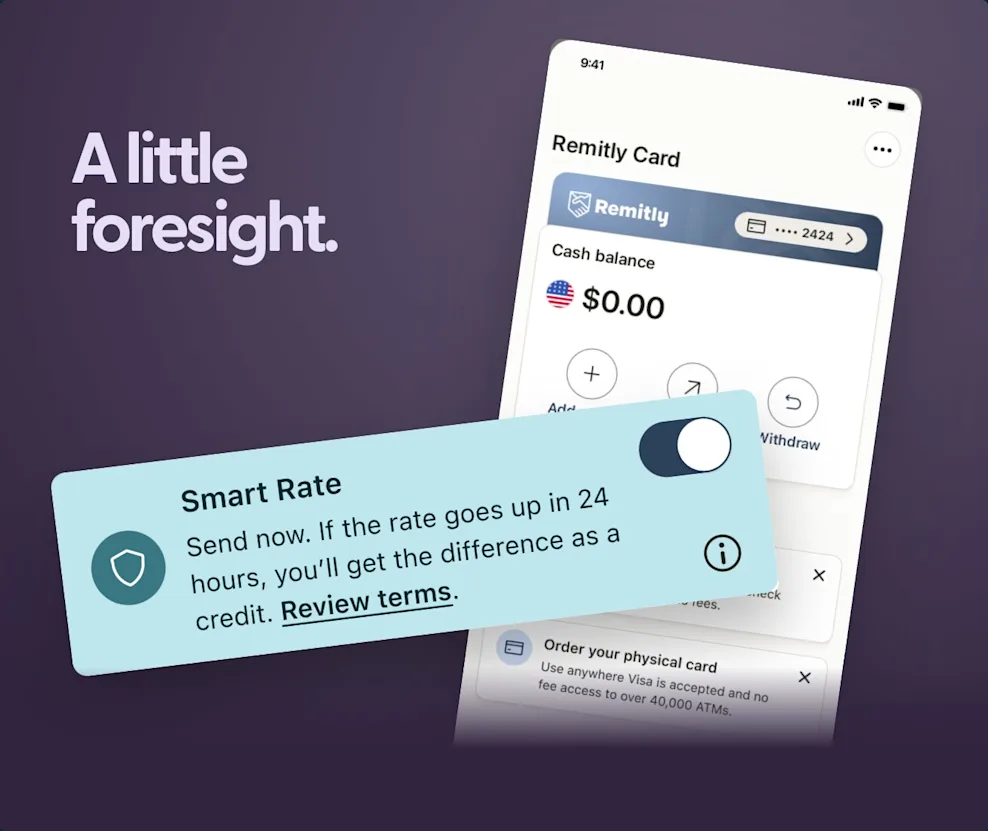
Remitly Card gives you a way to use your available balance for supported everyday purchases. Virtual and physical card options are available, depending on what’s offered to you.
Follow the instructions in the Remitly app to access your card and check your available balance before spending.
This gives eligible customers another way to use Remitly for their everyday money needs, alongside sending money internationally.
Send money internationally from the Remitly app
You can still use the Remitly app when you want to send money internationally.
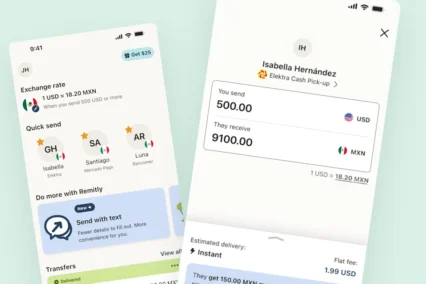
Set up your transfer in the app and review the options available to you. Before you send, check:
- Who you’re sending money to
- How much you’re sending
- How you’re paying
- The exchange rate
- Any fees
- How much your recipient will receive
- When the money is expected to arrive
Your international transfer has its own details to review. Don’t assume that the terms or benefits connected to your Remitly Card account also apply to a money transfer.
Use the information shown in the app for the transfer you’re making.
Get your pay through direct deposit
Eligible Remitly Card customers may also be able to have their pay deposited into their account.
If direct deposit is available to you, start with the getting-paid or direct-deposit option in the Remitly app.
Depending on your employer or payroll provider, you may be able to set it up through a guided connection. Another option may be to use the account information and authorization form provided for your account.
Follow the instructions shown in the app and check the information carefully before giving it to your employer.
Give your direct deposit time to start
Setting up direct deposit doesn’t necessarily mean your next paycheck will go into your Remitly Card account.
Your employer or payroll provider decides when the change takes effect.
Check its processing times and make sure you know where your next paycheck is expected to go. Keep access to your existing payment arrangements until you’ve confirmed that the change is complete.
Once your pay arrives and is available, you can use the supported spending and sending features available with your account.
Check the Card features available to you
Remitly Card features, benefits, fees, and limits can vary.
Before using a feature, check the information shown for your account in the Remitly app.
Pay particular attention to:
- Availability: Remitly Card is currently available to eligible customers in the United States.
- Card options: Check which virtual or physical card options are available to you.
- Benefits: Review any benefits included with your account or offer.
- Fees: Check whether any fees apply before using a feature.
- Limits: Review any limits that apply to your account or Card.
- Terms: Read the terms connected to your account and any offer you’re considering.
The details shown for your account are more useful than assuming another Remitly Card customer has the same features or terms.

See what Remitly Card can do in the app
Remitly Card gives eligible U.S. customers another way to use the Remitly app for everyday money needs.
Depending on what’s available to you, you can check your balance, use a virtual or physical card for supported purchases, set up direct deposit, and continue to send money internationally with Remitly.
You don’t need to guess which features or benefits apply to you. Check the Remitly app for the Remitly Card options, fees, limits, and terms available for your account.
Open the Remitly app to see whether Remitly Card is available to you.
Frequently Asked Questions
What is Remitly Card?
Remitly Card is an account and card option available to eligible customers in the United States. It lets you use your available balance for supported everyday purchases, with virtual and physical card options available depending on your account.
Where can I find Remitly Card?
If Remitly Card is available to you, follow the information and instructions shown in the Remitly app to get started and access your Card features.
Can I still send money internationally in the Remitly app?
Yes. You can continue to use Remitly to send money internationally. Review the exchange rate, fees, recipient amount, and other details for each transfer before sending.
Can I have my paycheck deposited into my Remitly Card account?
Eligible customers may be able to set up payroll direct deposit. Check the Remitly app for the setup options available to you and allow time for your employer or payroll provider to make the change.
Does Remitly Card have fees or limits?
Fees, limits, benefits, and other terms can depend on your account and offer. Check the information shown in the app for the details that apply to you.