

Quick answer: Yes—you may be able to use Apple Pay or Google Pay to pay for an international money transfer through a provider such as Remitly. Availability depends on your location and the options offered for your transfer. Check the payment methods shown before you send, then review the exchange rate, fees, recipient amount, and estimated delivery time. Selecting Apple Pay or Google Pay as your payment method does not mean your recipient receives the money through that same service.
You already use your phone to pay for groceries, split a dinner bill, or check out online in seconds. So it makes sense to wonder whether that same tap-to-pay convenience works when you’re sending money to family abroad.
The short answer is that it might. If your money transfer provider supports Apple Pay or Google Pay, you can use it to pay for an international transfer, just like you’d use a debit card or bank account. But a few details matter here, and understanding them before you send will save you time and confusion.
With Remitly, you can see your available payment methods before you commit to a transfer, and that includes digital wallets where they’re offered. Here’s what you need to know about how Apple Pay and Google Pay actually work in this context, and what to check before you choose one.

How do Apple Pay and Google Pay work for international transfers?
Sending money internationally with a digital wallet involves three distinct parts, and it helps to separate them in your mind:
- You arrange the transfer. You choose your destination, amount, recipient, and an available delivery method through a transfer provider.
- You choose how to pay. If Apple Pay or Google Pay is offered for your transfer, you can select it and authenticate with an eligible card.
- Your recipient receives the money. The transfer provider arranges delivery through whichever option you selected, independent of how you paid.
Here’s how those pieces break down:
| Part of the transfer | What it means |
| Payment method | How you pay for the transfer, potentially including Apple Pay or Google Pay |
| Transfer provider | The service arranging the international transfer, such as Remitly |
| Delivery method | How the recipient receives the money, depending on destination and availability |
As an example, imagine you choose an available bank-deposit option for your recipient and pay using Apple Pay. Your recipient receives a bank deposit, not an Apple Cash payment. This is just one illustration, not a guarantee of how every country or account type works—always check what’s available for your specific transfer.

Can I use Apple Pay to send money abroad?
Apple Pay works within supporting apps and websites, provided your device is compatible and your card comes from a participating issuer. Before you can use it to pay for anything, including an international transfer, you’ll need to set up Apple Pay with a supported card.
From there, the transfer provider has to offer Apple Pay as a payment option for your specific transaction. Having Apple Pay set up on your phone doesn’t guarantee it will appear every time.

Is Apple Pay the same as Apple Cash?
No, and this distinction matters. Apple Pay is a way to make payments using cards you’ve added to Wallet. Apple Cash is a different service that lets you send and receive money directly between people through Messages or Wallet.
Apple Cash also comes with U.S. residency and location requirements, so it isn’t built to function as a general international remittance service. Don’t assume that an Apple Cash balance, or every card stored in your Apple Wallet, is automatically eligible for funding a transfer. Apple Pay is the payment method you might use; Apple Cash is something else entirely.
Can I use Google Pay to send money abroad?
Google Pay is accepted for payments across many participating apps and websites, though feature availability varies by country and device. As with Apple Pay, a transfer provider needs to support Google Pay for your specific transaction before you can select it.
It’s also worth clarifying the difference between Google Wallet and Google Pay. Google Wallet is where your supported payment methods are stored. Google Pay is the payment experience you might encounter at checkout when using those stored methods.

What about sending money directly through the Google Pay app?
Google ended person-to-person sending, requesting, and receiving through the standalone U.S. Google Pay app, reflected in changes to the U.S. Google Pay app made on June 4, 2024. Checkout payments through Google Pay remained available. This was specific to that one U.S. app feature, not a broader statement about Google payment or transfer capabilities worldwide.
Can I pay for a Remitly transfer with Apple Pay or Google Pay?
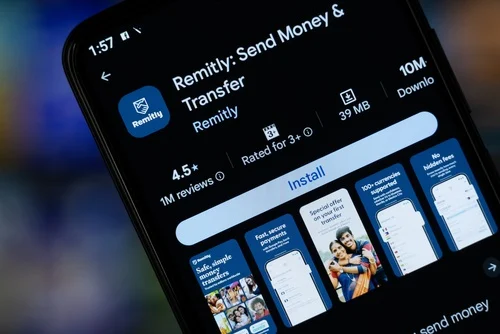
With Remitly, you can choose from the payment methods available for your transfer, which may include Apple Pay or Google Pay. The payment options in the Remitly app include both, and which ones you see depends on your sender location.
A few things to keep in mind:
- Having a digital wallet set up on your device doesn’t guarantee it will be offered for every transfer.
- Check the payment methods displayed for your specific account and transaction.
- Confirm that your selected card is supported.
- Review the full quote, including the exchange rate and fees, before you approve payment.
Availability can differ depending on where you’re sending from and the specifics of your transfer, so the most reliable way to know is to check your own options directly in the Remitly app or on the website.
How to send internationally with Remitly using an available digital wallet
- Sign in or create your Remitly account.
- Choose your destination and transfer amount.
- Select an available delivery method and enter your recipient’s details.
- Review the payment options. Choose Apple Pay or Google Pay if it appears.
- Select an eligible card and follow the authentication prompts shown on your device.
- Review and approve the transfer, checking the rate, fees, recipient amount, and delivery estimate.
- Save your confirmation and check for transfer updates.
Explore your options for sending money with Remitly.
What should you check before choosing Apple Pay or Google Pay?

The total cost
Before you confirm any transfer, review:
- The exchange rate
- Transfer and payment-method fees shown
- The total amount charged
- The amount your recipient will receive
- Any separate charges your card issuer may apply
Paying with a digital wallet doesn’t automatically mean a lower cost. A credit-card-funded payment made through a wallet can still trigger issuer charges, so don’t assume the convenience factor translates into savings.
The estimated delivery time
Approving a payment quickly and having that money arrive internationally are two separate steps. Your destination, delivery method, and any required transaction checks all affect when funds arrive. Remitly’s guidance on ways to pay for your Remitly transfer makes this same distinction: a fast payment method doesn’t guarantee instant delivery to your recipient.
Your available limits
Check your transfer limit and any card-specific restrictions before confirming your transfer. These limits vary by destination and payment method, so there isn’t a single universal cap for Apple Pay or Google Pay transfers.

Why isn’t Apple Pay or Google Pay showing up?
If you don’t see your preferred wallet as an option, consider these possibilities:
- The payment method may not be available for your location or this particular transfer.
- Your device, browser, or the payment experience you’re using may not support it.
- Your selected card may not be eligible.
- Your wallet setup or card verification may be incomplete.
Try checking your wallet setup, reviewing another available payment method, or contacting support for help. Avoid trying to work around eligibility requirements through methods like changing your device location settings, since this can create bigger problems with your account and transaction.
Frequently asked questions (FAQs)
Does my recipient need Apple Pay or Google Pay?
No. Your recipient receives money according to the requirements of the delivery method you selected, such as a bank deposit or cash pickup. Paying through a digital wallet doesn’t require your recipient to use that same wallet.
Is sending internationally with Apple Pay or Google Pay free?
Costs depend on the full transfer quote and any applicable card issuer charges. There’s no blanket guarantee of a free transfer just because you paid with a digital wallet.
Will the money arrive instantly?
Check the specific delivery estimate for your transfer. Payment speed and delivery speed are separate factors, and both depend on your destination and delivery method.
Can I use a credit card stored in my wallet?
Wallet compatibility and transfer-provider eligibility are two different things. Review the payment options shown for your transfer and your card issuer’s terms before assuming a stored card will work.
Can I use Apple Pay or Google Pay for every destination?
No. Destination support and payment-method support are separate considerations. Check both before you start a transfer to confirm your preferred wallet will be available.
Sending money your way
Apple Pay or Google Pay can offer a familiar, convenient way to pay for an international transfer when your provider supports them. Before you send, check your available payment options in the Remitly app, and review the complete quote, including the exchange rate, fees, and delivery estimate.
Payment methods and transfer availability vary by location and transaction. Fees, exchange rates, limits, and delivery estimates may change. Review the details shown before confirming your transfer, and remember your card issuer may apply separate charges.
Trademarks, trade names and logos displayed are registered trademarks of their respective owners. No affiliation or endorsement of Remitly should be implied.


