

Quick answer: Remitly has two ways to use a text to make sharing transfer details easier. If you’re receiving money, you can create a request with your details and share it with the person sending you money. If you’re sending money but don’t have your recipient’s details, you can start the transfer and send them a text so they can add their information. The sender still reviews and completes the transfer before money is sent.
Sending money can sometimes involve a lot of back-and-forth. You might need to ask for bank details, check an account number, confirm an amount, and make sure you have the right information before you can even start. The Remitly app has new text options designed to make this easier. Depending on what’s available to you, the person receiving money can prepare a request, or the person sending money can start a transfer and let the recipient add their own details.
Here’s how the two options work.
First, decide who should start
There are two different ways to use a text, depending on your situation.
If you’re receiving money: You can create a request with your receiving details and share it with the person you want to send you money. Remitly calls this Recipient Requests.
If you’re sending money: You can start the transfer and send your recipient a text so they can add their own receiving details. This is Send with a Text.
The main difference is simple: with a request, the recipient starts. With Send with a Text, the sender starts.
Neither option automatically sends money. The sender still decides whether to continue and completes the steps needed to make the transfer.
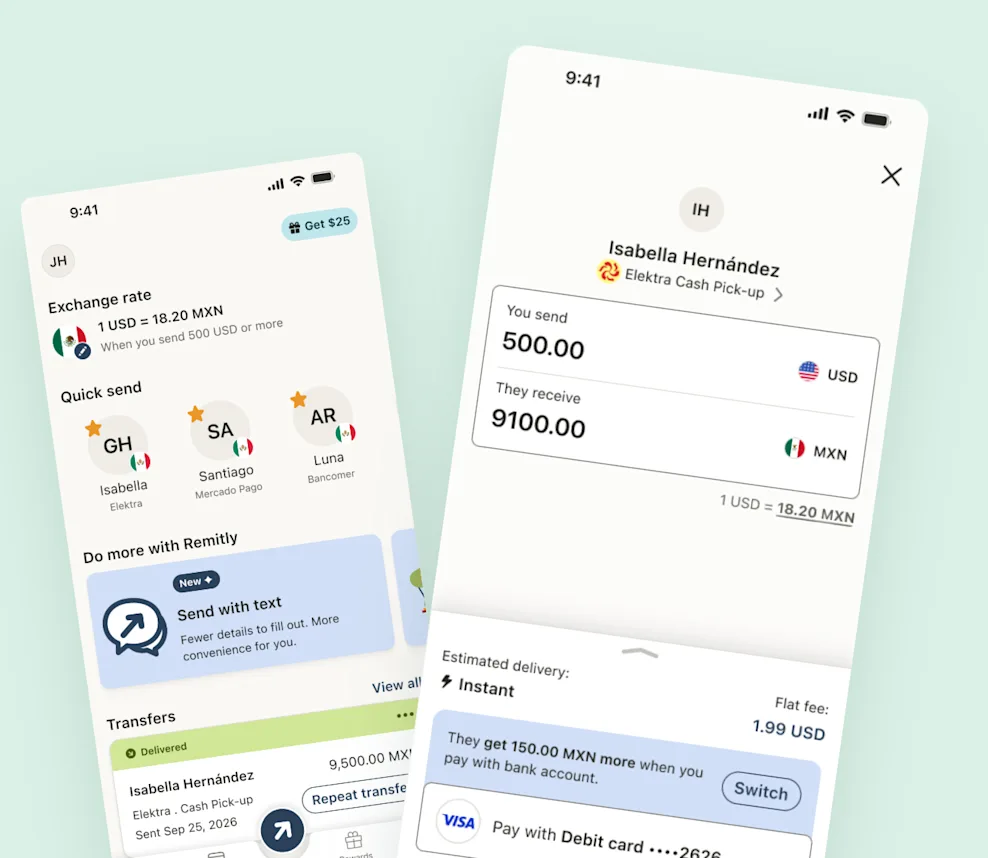
How to request money in the Remitly app
If you’re the person receiving money, you may be able to prepare the request yourself.
Start with the request option available to you and follow the steps to add your receiving information. You may also be able to add the amount you’re requesting.
Check the information carefully before you share the request. Providing your own details can reduce the need for the sender to copy information from a text or another message.
When the request is ready, share the text directly with the person you want to send you money.
What happens when someone opens your request?
The person you shared the request with can open the text and review it. They then decide whether they want to continue with a transfer.
A request doesn’t automatically take money from their account. The sender still needs to review the transfer, choose from the available ways to pay, and complete any other steps that are required.
The exchange rate, fees, delivery options, and other details for their transfer still apply.
How to send money when you don’t have the recipient’s details
There’s another option for the opposite situation. Maybe you know who you want to send money to and how much you want to send, but you don’t have their receiving details. Where sending with a text is available, you can start the transfer without collecting all of those details yourself.
Choose the destination and amount in the Remitly app. When the text option appears for a new recipient, choose it and follow the instructions for your transfer.
You can then share the text directly with the person you’re sending money to.

Let your recipient add their own details
Once your recipient receives the text, they can open it and follow the steps to provide the receiving information needed for the transfer. This means you don’t have to ask them to send sensitive account information to you in a message and then copy it into the transfer yourself.
Let your recipient know to expect the text so they recognize it when it arrives. They should follow the official Remitly experience and check the information they enter carefully.
Check what still needs to happen in the app
Sending a text doesn’t necessarily mean your transfer is finished.
Your recipient may need to add their details within the time shown for the text. Your transfer may also still need payment, verification, or other steps before it can be completed. Check your transfer in the Remitly app and follow the instructions shown there.
If your recipient can’t complete their part or the text can no longer be used, look for the help or next steps shown for your transfer.
Remember: sharing a text doesn’t send money
This is important for both types of text.
- If you’re requesting money, sending someone your request doesn’t take money from their account. They decide whether to continue and complete a transfer.
- If you’re sending money with a text, your recipient adding their details isn’t the same as the money being sent or delivered. There may still be steps for you to complete.
Use the status and instructions in the Remitly app to understand what happens next.

Share texts with the right person
Whether you’re requesting or sending money, share your text directly with the person it’s meant for.
Don’t post a transfer text publicly. If you receive a money request you weren’t expecting, check with the person who sent it using a way you already trust before you continue.
The same applies if someone unexpectedly gives you new payment information. Confirm the change with them before sending money.
An easier way to share the details you need
Texts can make it easier to get the right information from the right person.
If you’re receiving money, you can prepare your details and give the sender a clearer place to start. If you’re sending money but don’t have the recipient’s details, you can let them add that information themselves.
Either way, the sender stays in control of the transfer and reviews the details before sending money.
Open the Remitly app to see which options are available to you.
Frequently Asked Questions
What’s the difference between requesting money and Send With a Text?
When you request money, the person receiving the money starts by preparing their information and sharing a request with the sender. With Send with a text, the sender starts the transfer and shares a text so the recipient can provide their receiving details.
Can I request money in the Remitly app?
Where the option is available, you can create a request with your receiving information and share it with the person you want to send you money. The sender then decides whether to continue with the transfer.
Can I send money if I don’t know my recipient’s bank details?
Where Send with a text is available, you can start a transfer and share a text so your recipient can provide their own supported receiving details.
Does sending a text mean the money has been sent?
No. Sharing a request or transfer text doesn’t automatically move money. The sender still needs to complete the steps required for the transfer.
Does my recipient have to use the text right away?
The recipient may need to complete their part within the time shown for the text. Follow the information provided for your transfer.
What should I do if the text doesn’t work?
Check your transfer in the Remitly app and follow the help or next steps shown there.
Should I share a Remitly transfer text publicly?
No. Share the text directly with the person it’s intended for rather than posting it publicly.