

Quick answer: Remitly Business helps solo founders and small businesses pay contractors, vendors and suppliers abroad for less with the fee, rate and delivery time shown before you send. Hundreds of thousands of SMBs have joined since launch, and you can sign up with your business email.
Running a business can mean paying people in more than one country. You may need to pay a supplier abroad, send money to a contractor, or make another international payment connected to your business. Remitly Business gives eligible businesses a dedicated way to make these payments. You can use the Remitly app to set up your business profile, make an international payment, and keep track of it after you send.
Here’s how to get started.
Set up your business profile
Before you make your first business payment, you’ll need to set up your Remitly Business profile.
Start with Remitly Business in the app and follow the steps shown. You’ll be asked to provide information about your business. In the US and UK, Remitly will fill in many of your business details for you, so you can review and confirm rather than entering everything manually. In other markets, you’ll enter your business information directly.
Depending on your business, Remitly may also need information about its owners or other people connected to it.
Follow any verification requests and provide the information needed before you start sending.
If you also use Remitly for personal transfers, make sure you’re using the right account or profile when you’re making a payment for your business.

Add the person or business you want to pay
Once your business profile is ready, you can start setting up your international payment.
You might be paying a:
- Employee
- Supplier
- Contractor
- Other business contact
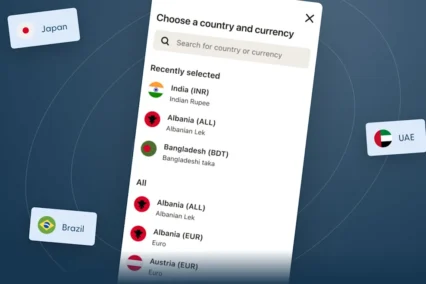
Enter the recipient information requested in the app. What you need to provide can depend on where you’re sending money and how the recipient will receive it.
In the US, you can also pay multiple people at once with bulk transfers, instead of entering each payment separately. You can also send a secure payment link and let your recipient add their own payout details — they don’t need a Remitly account to receive the link.
Check the recipient’s details carefully before you continue.
Review the payment options shown in the app
The options available for an international business payment can depend on where your business is based, where you’re sending money, and the payment you’re making.
Follow the choices shown in the Remitly app rather than assuming every business payment works the same way.
Before you send, check:
- Recipient: Make sure you’re paying the right person or business.
- Receiving method: Check how the recipient will get the money.
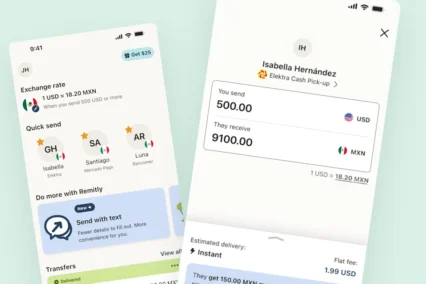
- Exchange rate: Review the rate for your payment.
- Fees: Remitly Business has no subscription, wallet, or monthly fees. Check any per-transfer fees that apply to your payment.
- Receiving amount: See how much your recipient will receive.
- Expected delivery: Check when the money is expected to arrive.
Review these details for every payment, especially if you’re sending to a new recipient or country.

Check payment details before you send
Take extra care if a supplier, contractor, or other business contact gives you new payment details.
Before sending money to a new account, confirm the change using contact information you already trust.
For example, if you receive new bank details by email, check them with your business contact using a phone number or another contact method you already use.
You should also continue to follow your business’s usual process for checking invoices and payment information.
Follow your business payment after you send
Once you’ve sent your payment, use the available transfer details and history to follow its progress. Your transfer history and business receipts are kept in your account, so they’re ready when your team or accountant needs them.
This gives you a place to check the payment if your recipient or someone on your team asks for an update.
If Remitly needs more information from you, follow the instructions shown for your payment.
After you provide the requested information, Remitly may need some time to review it. You may also be asked for something else, so check for the latest update and any next steps.
Check what’s available for your business
Remitly Business is available to eligible businesses in the United States, Canada, the United Kingdom, and 23 European countries.
What you see can depend on where your business is based. A business in one country may not have exactly the same options as a business somewhere else.
Not every destination, business type, or feature is necessarily supported.
If you need help, Remitly Business offers 24/7 support in 18 languages.
Use the information shown for your business and payment to understand what’s available to you.

Keep business and personal payments separate
If you already use Remitly to send money personally, you can convert your account into a business account by contacting customer support, or create a new business account with a business email address.
Remitly Business is designed for eligible international business payments. Using the right profile helps make sure you’re entering the information needed for the type of payment you’re making.
Make your next international business payment
Making an international business payment starts with setting up your business profile and completing any requested checks.
When you’re ready to send, add your recipient and review the details shown in the Remitly app. Check the exchange rate, fees, receiving amount, and expected delivery before you confirm the payment.
After you send, you can return to your transfer details and history to follow the payment and see whether anything needs your attention.
Open the Remitly app to see whether Remitly Business is available for your business.
Frequently Asked Questions (FAQs)
What is Remitly Business?
Remitly Business gives eligible businesses a dedicated way to make supported international payments to suppliers, contractors, employees, and other business contacts, with options like bulk transfers and payment by link.
Can I use Remitly Business in the Remitly app?
Yes. Eligible businesses can use the Remitly Business experience in the app to set up their business profile and make supported international payments. Remitly Business is also available on the web.
Where is Remitly Business available?
Remitly Business is available to eligible businesses in the United States, Canada, the United Kingdom, and 23 European countries. The options available can depend on where your business is based.
What do I need to set up a Remitly Business profile?
You’ll need to provide the requested information about your business. Depending on your business, you may also need to provide information about its owners or other relevant people and complete verification steps.
What should I check before making an international business payment?
Check the recipient, receiving method, exchange rate, fees, amount your recipient will receive, and expected delivery. If a business contact has changed their payment details, confirm the new information using a contact method you already trust.
Can I pay multiple people at once?
Yes, in the US you can use bulk transfers to pay contractors, suppliers, or your team in one go instead of entering each payment separately.
Can I track my business payment after I send it?
Use the available transfer details and history to follow your payment. If Remitly needs more information, follow the instructions shown for that payment.
Are the same Remitly Business features available everywhere?
Not necessarily. Available options can depend on where your business is based, where you’re sending money, and the payment you’re making. Check what’s shown for your business.