

Paying for your Remitly transfer just got a whole lot easier. You can now send money from New Zealand and use Google Pay to pay securely. No need to enter your card details manually, and your actual card number is never shared with Remitly. Whether you’re sending money to whānau or helping out someone special from afar, here’s how to get started.
What Is Google Pay, and Why Does It Matter for Remitly Customers in New Zealand?
Google Pay is a digital payment service that lets you make payments, send money, and manage your accounts all in one place. It’s connected to your Google account and works with cards you’ve already saved in your Google Wallet.
When you pay for a Remitly transfer with Google Pay, your actual card number is never shared with Remitly. Instead, Google creates a unique virtual account number for each transaction and sends that to Remitly. Your card details stay private, and your payment goes through securely.
What You Need Before You Start Sending with Google Pay
Before you begin your transfer, it’s worth checking you have the following in place.
An Active Google Pay Account
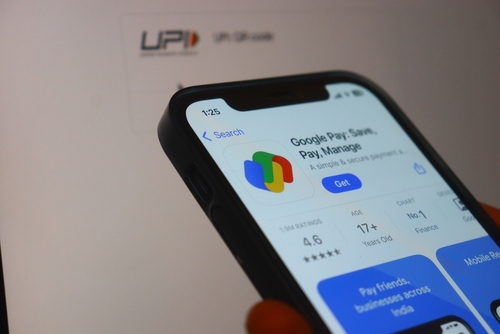
You’ll need a Google account with Google Pay set up. If you haven’t done this yet, you can download the Google Pay app or the Google Wallet app to get started. On a desktop or mobile browser, you can also set up Google Pay via the Google Pay website.
An Active Visa or Mastercard Added to Your Google Wallet
Google Pay with Remitly supports Visa and Mastercard. The following are not currently supported:
- American Express
- Discover
Both debit and credit cards may work, but it’s worth noting that in some regions, credit cards or business debit cards may attract additional processing fees from your bank or card provider including potential cash advance fees.
The Latest Version of the Remitly App
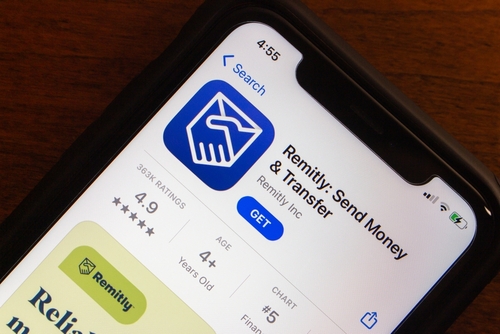
Make sure your Remitly app is up to date before you start. Check the App Store or Google Play for any available updates and install them.
How to Pay for Your Remitly Transfer with Google Pay: Step by Step
Once everything is set up, the process is quick and straightforward. Here’s how it works, step by step.
- Download or Open the Remitly app and sign in to your account.
- Start a new transfer and enter the amount you’d like to send.
- Select Express as your delivery speed if you’re prompted to choose one.
- Enter your recipient’s details, then fill in your own information as prompted.
- On the Payment method screen, select Google Pay to continue.
- Review your transfer details. Check the amount, recipient, and delivery information carefully. When everything looks correct, tap Pay with Google Pay to confirm.
- Choose which card you’d like to use from your Google Wallet, then tap Continue to authorise your payment. If you’re paying with a credit card, you may be asked to tap Send Money to complete the authorisation before tapping Pay with Google Pay again.
- Stay on the processing screen until your transfer is confirmed. Once it goes through, you’re all done.
The whole process takes just a few minutes. If your card is already saved in Google Wallet, you won’t need to enter your card details manually in the Remitly app at all.
Why Use Google Pay with Remitly?
Google Pay isn’t just a more convenient way to pay, it’s a secure one too.
- Your card details stay private. Google Pay generates a virtual account number for every transaction. Your real card number is never shared with Remitly.
- Convenient payments. If your card is already in Google Wallet, there’s no need to re-enter your details each time you send.
- One less thing to worry about. When you’re sending money to someone who depends on it, knowing your payment is private and protected matters.
Start Sending from New Zealand Today
Google Pay is now available for Remitly customers sending from New Zealand. If you have an active Google Pay account, a Visa or Mastercard saved in your Google Wallet, and the latest version of the Remitly app, you have everything you need.
Open the Remitly app and start your transfer today.

Frequently Asked Questions
Is Google Pay available with Remitly in New Zealand?
Yes. Customers sending from New Zealand can now use Google Pay for eligible Remitly transfers.
What do I need to use Google Pay with Remitly?
You’ll need an active Google Pay account, an active Visa or Mastercard saved in your Google Wallet, and the latest version of the Remitly app.
Which cards work with Google Pay on Remitly?
Google Pay with Remitly supports Visa and Mastercard. American Express and Discover cards are not currently supported.
Can I use a credit card with Google Pay on Remitly?
Yes, credit cards may be supported, but be aware that your bank or card provider may charge additional fees — including cash advance fees — when you use a credit card for money transfers. A personal debit card can help you avoid those charges.
Is my card number shared with Remitly when I pay with Google Pay?
No. Google Pay creates a unique virtual account number for each transaction, so your actual card number is never shared with Remitly.
Do I need to choose a specific delivery speed?
If prompted during setup, select Express to continue with Google Pay.
How do I set up Google Pay?
Download the Google Pay app or Google Wallet app on your device, or visit the Google Pay website if you’re on a desktop or mobile browser.
What if my bank stops the payment?
If your bank declines the transaction, contact your bank directly for assistance.
Google Pay and Google Wallet are trademarks of Google LLC.