 Google Play 4.8 stars
 App Store 4.9 stars
Send money to the Philippines from the United States
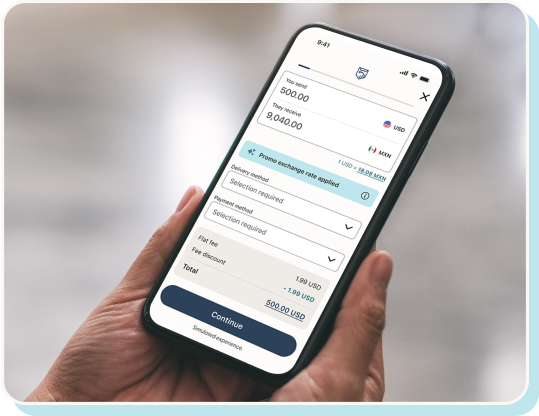
Get a special rate and no fees on your first transfer with Remitly



New customers only. One per customer. Limited time offer. Any rates shown are subject to change. Promotional FX rate applies to first 1,000.00 USD sent. If you are sending over 1,000.00 USD, the non-promotional FX rate shown applies when you pay by Remitly Pay Later or Remitly Wallet. See Terms and Conditions (opens in new window) for details.

New customers only. One per customer. Limited time offer. Any rates shown are subject to change. Promotional FX rate applies to first 1,000.00 USD sent. If you are sending over 1,000.00 USD, the non-promotional FX rate shown applies when you pay by Remitly Pay Later or Remitly Wallet. See Terms and Conditions (opens in new window) for details.
Trusted by millions to send billions

Know where your money goes
Track your transfer every step of the way.


Delivery time guaranteed
You can trust that transfers will be delivered on time or we’ll refund your fees.
Make global money moves with our app
 App Store 4.9 stars

Scan the code with your phone to get the app

App ratings based on all countries/regions (App Store) and most recent ratings across all countries (Google Play). Ratings may vary based on user location and device type.
Local delivery methods when sending from the United States to the Philippines

Bank deposit

Cash pickup

Mobile wallet

Home delivery
Chat to send money with WhatsApp
Convenient money transfers, as easy as starting a conversation.

WhatsApp is available for transfers from 10 countries to more than 30 destinations worldwide. Domestic transfers (e.g., U.S. to U.S.) aren't supported. Message us on WhatsApp to check if we support your route.
What are the delivery options for transfers to the Philippines?
Cash pickup, bank deposit, mobile wallet, and more delivery options with our trusted network in the Philippines. Select your preferred provider to learn more.









- Al Amanah Islamic Bank
- AllBank
- Allied Savings Bank
- Asia United Bank
- Bangko Mabuhay
- Bangkok Bank
- Bank of America
- Bank of China
- Bank of Commerce
- Bank of Florida
- Bank of Makati
- Bank of the Philippine Islands (BPI)
- BDO Network Bank / One Network Bank
- BDO Unibank
- BPI Family Bank
- Camalig Bank
- Card Bank
- CARD SME Bank
- Cathay United Bank
- Cebuana Lhuillier
- Cebuana Lhuillier Rural Bank
- China Bank
- China Bank Savings
- China Trust (CTBC)
- CIMB Bank Philippines Inc (CIMB)
- CIS Bayad Center, Inc. (CBCI)
- Citibank
- Citibank Savings
- Coins.ph
- Country Builders Bank
Trademarks, trade names and logos displayed are registered trademarks of their respective owners. No affiliation or endorsement of Remitly should be implied.
How to send money to the Philippines from the United States?
- 1
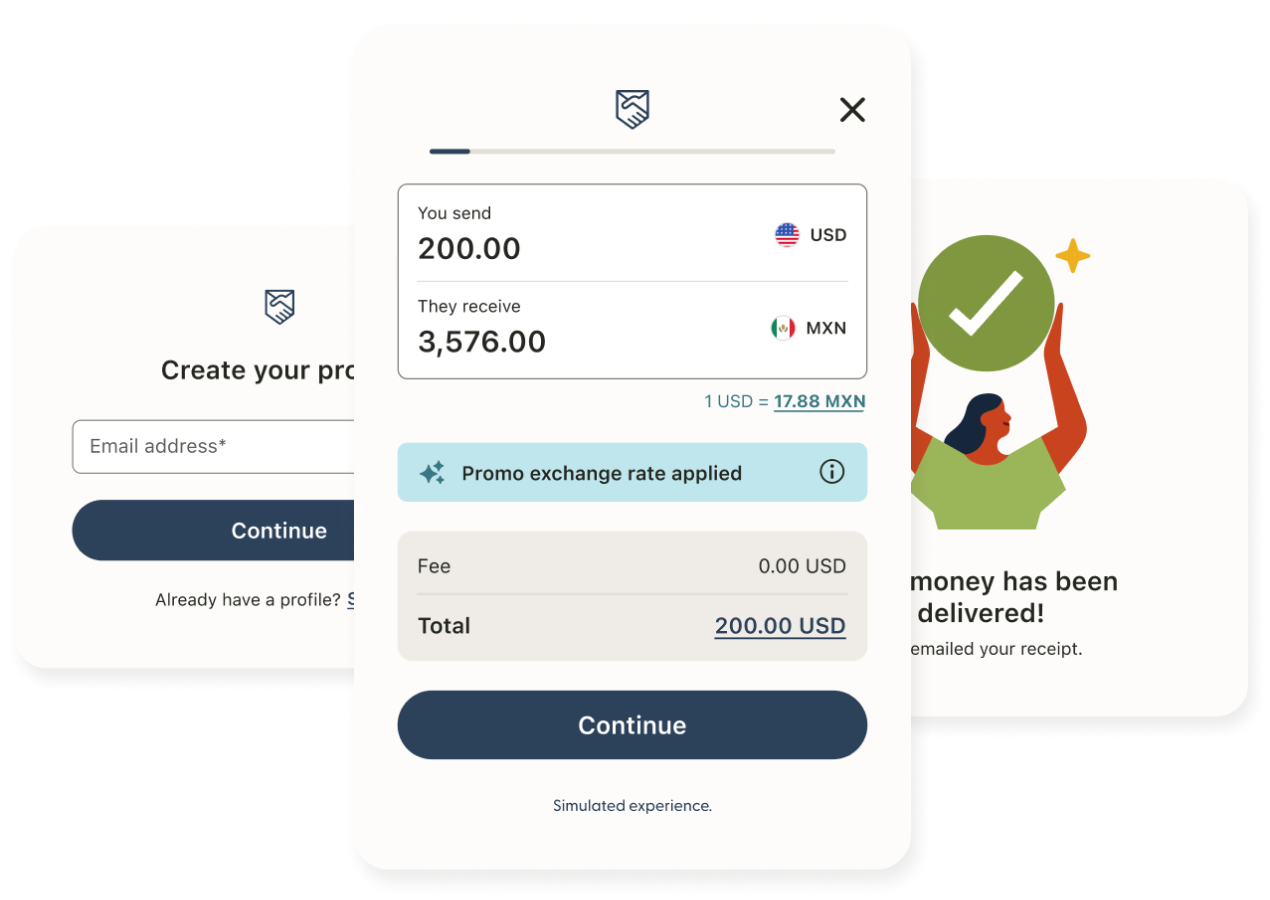
Sign up. Create an account using your email address through our website (opens in new window) or our app on the App Store (opens in new window) or Google Play (opens in new window). - 2
Set up your transfer. Select the currency, the amount you want to send, and the delivery speed. - 3
Enter your transfer details: Enter your recipient's name, contact details, and bank or pickup information. Select from the payment methods available in the Philippines. - 4
Send and track: Confirm your transfer and follow your transfer every step of the way.
Send large amounts with ease
For major goals or unexpected needs, securely send large transfers through our trusted network.

Sending limits vary and are subject to requirements.
See what our customers are saying
The customer reviews displayed on this page are collected from Trustpilot and reflect individual experiences with our service. These reviews are provided for informational purposes only and represent the personal opinions of our customers. We do not endorse any particular statement. Individual results may vary, including by corridor, and the experiences described may not reflect the typical customer journey.
Simplify your business payments
Remitly Business is built for businesses, teams, and freelancers working across borders.

Get help with sending money from the United States to the Philippines
Remitly FAQ
What is the best way to send money from the United States to the Philippines?
The best way to send a money transfer to the Philippines from the United States is with a service you can trust to deliver quickly, transparently, and securely. With Remitly, you get great rates, no hidden fees, and real-time transfer tracking—so you can know where your money is and when it will arrive.How much does it cost to transfer money to the Philippines?
The cost of sending an online money transfer (opens in new window) to the Philippines varies depending on the amount you're sending, the payment method, and the delivery option you choose. At Remitly, we strive to provide great exchange rates and low fees. When you sign up for Remitly, you may be eligible to receive a new customer offer on your first transfer.
For the most accurate pricing, we recommend visiting our website or app, where you can enter your transfer details to see the total cost.
Read more about how much Remitly costs (opens in new window).How fast can I send money from the United States to the Philippines?
Many online money transfers to the Philippines from the United States arrive quickly.
Please note that delivery times may vary depending on payment method, delivery method, transaction review, and system availability—for the fastest transfers, you may consider using Express with a debit or credit card, where available as payment options vary depending upon the sender’s location.
To see the exact speeds available for your transfer, enter your details in the Remitly app or at Remitly.com (opens in new window).How can I pay for my online money transfer to the Philippines from the United States?
Online payment options are flexible using the Remitly app, but vary according to your location—where you are sending your money from.
In the list below, you’ll see the different payment types that work with the Remitly app—some payment methods work for the United States and all sending countries, while some are unique to certain countries.
Payment methods that Remitly supports:- Visa and Mastercard debit cards — all sending countries
- Visa and Mastercard credit cards — all sending countries except Japan
- Apple Pay — European Union, U.K., and Singapore
- Discover cards — U.S.
- Prepaid cards — all sending countries
- Maestro cards — European Union and U.K.
- Easy Bank Transfers — U.K., EEA (DEU, ESP, FRA)
- Bank account — U.S., Canada, Australia, and Japan
- Klarna (also called Sofort) — Austria and Germany
- iDEAL — Netherlands
- Manual transfers (sometimes called SEPA credit transfers) — France
Find out more about paying for your money transfer (opens in new window).
Payment options vary depending upon the sender’s location.What are the sending limits to the Philippines?
Sending limits vary depending on where you're sending from, whether your identity has been verified, delivery method, and destination country.
To view the current limits that apply to your transfer to the Philippines, visit our Help Center’s sending limits guide (opens in new window).
Sending limits may change based on fluctuations in FX rates. Additional documentation may be requested. Sending limit subject to banking partner limits and compliance requirements.How do I set up my first money transfer?
Your first transfer from the United States to the Philippines can be set up in minutes — and as a new customer, you may be eligible for a special offer on your first transfer.
Here's how it works:- Create your account — Sign up on the Remitly app or at Remitly.com (opens in new window).
- Enter your transfer details — Choose how much you'd like to send and select your delivery method.
- Add your recipient — Enter your recipient's name, contact details, and bank or pickup information.
- Choose how to pay — Select from the payment methods available in the United States.
- Confirm and send — Review your transfer summary and select Send to complete your transfer.
Once sent, you'll receive a confirmation and can track your transfer every step of the way.
For more information, visit our Help Center pages to find out more about how Remitly works and how to set up a transfer.Can I track my money transfer from the United States to the Philippines?
Yes — once your transfer is sent, you can track it from the United States to the Philippines through the Remitly app or at Remitly.com (opens in new window). You can also choose to receive real-time updates by text message, email, or in-app notification where available, so you and your recipient know when the money is on its way and when it arrives.
How to track your money transfer and view your transfer status (opens in new window).
Standard text message and data rates may apply.How do I receive money from Remitly in the Philippines?
You can choose to receive money as a cash pickup, mobile money, home delivery, debit card deposit, or directly for bank deposit, depending on the delivery methods available where you are located. It's important to let the sender know your preferred method. The recipient doesn't need to sign up with Remitly to receive money. However, the sender must create a Remitly account (opens in new window) to send money.
Check out our guide to receiving money from Remitly (opens in new window).
Delivery options vary depending upon the recipient location.How can I send money internationally from the United States to the Philippines?
You can send money internationally from the United States to the Philippines in a few simple steps with Remitly:- Create a free Remitly account on our website or app.
- Enter the amount you'd like to send and choose your destination country.
- Select a delivery method, such as bank deposit, mobile wallet, or cash pickup.
- Add your recipient's details and any information required for your selected delivery method.
- Choose a payment method and confirm your transfer.