

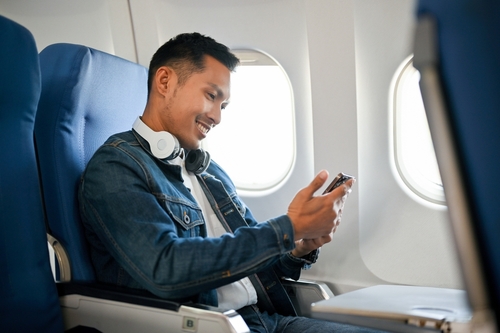
Being disconnected from loved ones while traveling can be stressful, especially if you’re used to texting family and friends throughout the day. Once the plane doors close and the phone switches to airplane mode, many travelers ask, “Can you text on a plane?” The short answer is that cellular data must be turned off during flights, but in-flight Wi-Fi, which many airlines now offer, is allowed.
Understanding this helps you stay connected without breaking airline rules or facing unexpected charges. That’s why we’ve created this guide at Remitly to explain when you can text on a plane and how in-flight messaging really works. You’ll learn when to use airplane mode, discover the messaging apps for flying, and find out how to avoid hidden costs.
The rules of connectivity: airplane mode activated
Airplane mode can feel like a digital blackout, but it’s not as restrictive as it seems. When you switch it on, your phone turns off cellular signals. This means your device stops communicating with ground-based cell towers, which is required during flights because in-flight cellular transmissions are prohibited under federal law.
Airplane mode usually also turns off Wi-Fi and Bluetooth at first, but most devices let you turn them back on manually if the airline permits their use. That’s why you can connect to onboard Wi-Fi, pair wireless headphones or smartwatches, and use internet-based messaging apps in the air.
By following these rules, you can stay compliant and take advantage of available services. With airplane mode on and Wi-Fi enabled (when it’s offered), you can send messages through apps like iMessage or WhatsApp, browse the internet, and stay in touch with family and friends at 30,000 feet.
SMS vs. internet messaging: what works?
Not all text messages work the same way in the air. Whether you can send a message on a plane depends on how that message is delivered, not just which app you’re using. Understanding the difference can help you avoid frustration once you’re in the sky.
Messages that need cellular service (generally won’t work on flights):
- Standard SMS texts
- MMS messages (photos and videos sent by text)
Messages that use the internet (can work with in-flight Wi-Fi):
- iMessage (blue bubbles only)
- Facebook Messenger
- Viber
- Signal
Standard SMS texts don’t work on most flights
Traditional text messages, such as green-bubble texts on iPhones or standard SMS and MMS messages on Android devices, rely on cellular networks. Because cellular connections are turned off during most flights, these messages won’t send or come through until you land.
Internet-based messaging can work with Wi-Fi
Internet-based messaging apps can work during a flight if you’re connected to in-flight Wi-Fi. Apps like iMessage, WhatsApp, Facebook Messenger, and Viber use an internet connection rather than cellular networks. In the air, that connection comes from the plane’s Wi-Fi. Some airlines offer free text messaging on select apps, while photos, videos, and full internet access might cost extra.
Knowing which messaging types rely on Wi-Fi versus cellular helps you plan ahead. Before your flight, set up your messaging apps and let contacts know the best way to reach you while you’re in the air.
How to connect to in-flight Wi-Fi
By following a few simple steps, you can connect to in-flight Wi-Fi when it’s available and start browsing or texting.
Step 1: Switch to airplane mode
After boarding, the first step is to enable airplane mode on your device. On most smartphones, you can do this quickly from the control center or settings menu. Turning on airplane mode can also help conserve battery life, which can be helpful on longer flights when power outlets may be limited.
Step 2: Turn Wi-Fi back on
Once the plane reaches a safe altitude and the crew gives the go-ahead, you can manually turn Wi-Fi back on. This allows your device to connect to the plane’s wireless network while keeping cellular data off. Some devices may prompt you to enable Wi-Fi when airplane mode is on, depending on your settings.
Step 3: Select your airline’s network
In your Wi-Fi settings, find and select the airline’s in-flight network, which is typically labeled with the airline’s name. If multiple networks appear, choose the one listed on the airline’s safety card or seatback instructions to avoid connection issues.
Step 4: Log in or purchase a pass
Once connected, open your browser. Most airlines will automatically redirect you to a login page where you can enter your flyer details, apply a voucher, or purchase a Wi-Fi pass if required. After completing the process, you’ll be able to use supported messaging apps, browse the web, or access onboard streaming, depending on the airline and Wi-Fi plan.

Essential security tips while using in-flight Wi-Fi
Using Wi-Fi on a plane is convenient, but like any public Wi-Fi network, it comes with some potential security risks. Following a few security practices can help protect your personal information while remaining connected in the air.
Use a VPN for sensitive activity
A Virtual Private Network (VPN) encrypts your internet connection, helping to protect your privacy on public Wi-Fi. This is especially useful if you’re accessing work emails, cloud storage, or private documents. If you use a VPN, turn it on before connecting to the airplane network. Bear in mind that some airlines may restrict VPN connections.
Avoid accessing banking websites
If possible, avoid logging into bank or payment accounts while using in-flight Wi-Fi. If access is urgent, use official banking apps with strong security features like two-factor authentication, as they’re generally safer than web browsers.
Be cautious with personal information
Avoid entering sensitive information, such as Social Security Numbers, personal IDs, or passwords, while connected to in-flight Wi-Fi. Treat the network as public and delay sensitive communications until you’re on a private connection.
Ensure websites are secure (look for HTTPS)
Always check that the websites you visit use HTTPS, which encrypts the data you send and receive. While HTTPS doesn’t guarantee a site is trustworthy, it’s a basic requirement before entering any information.
Log out of all accounts after use
Once you finish using email, social media, or other apps, close the apps or log out if you’re using a browser. This is especially important if you’re on a shared device, but on personal devices, it adds an extra layer of caution.
Disable autoconnect features
Turn off automatic Wi-Fi connections and avoid Bluetooth discoverable mode to reduce the risk of connecting to unknown or unsafe networks during the flight. Using Bluetooth accessories like wireless headphones is generally safe when paired with trusted devices.
Use strong passwords when creating an account
If you need to create a new account while flying, choose a unique and complex password and avoid reusing passwords from other services. Using a trusted password manager can help generate and store strong passwords securely, reducing the risk of security breaches.
Costs and airline policies
Knowing what you might pay to stay connected in the air can help you avoid surprises and frustration. Airline Wi-Fi policies vary widely, so understanding the differences before you fly ensures you’re prepared:
Free messaging on select apps:
Some airlines offer free text-based messaging on select apps, allowing you to stay in touch without buying a full Wi-Fi plan. For example, carriers like Delta, JetBlue, and Alaska Airlines often let passengers use messaging apps at no extra cost. This option is ideal if you want to send internet-based messages without buying full internet access.
Paid internet for browsing, streaming, or work:
Full internet access for browsing, streaming, or work typically requires a paid Wi-Fi pass. Prices can range from a few dollars on short flights to higher fees on longer routes, depending on the airline, and streaming may be limited.
Check policies in advance
Before your flight, review your airline’s Wi-Fi policy. Most airlines outline what’s included, which apps are free, and how much full access costs on their website or mobile app. Knowing this in advance can help you decide whether to purchase a Wi-Fi plan.
Mobile carrier perks
Some mobile carrier plans offer in-flight Wi-Fi benefits. For example, T-Mobile partners with major airlines like Alaska, United, and Southwest to provide free or discounted in-flight Wi-Fi on participating flights. If you’re a subscriber, checking your plan ahead of time could save you money and keep you connected without extra costs.
By understanding costs and policies before takeoff, you can avoid unexpected charges, take advantage of free messaging when it’s available, and decide if paying for Wi-Fi is worth it for your flight.
Stay connected, even in the clouds
Flying doesn’t have to mean losing touch with people who matter. By understanding the difference between cellular service and in-flight Wi-Fi, you can stay connected while still following airline rules. Download internet-based messaging apps like WhatsApp, iMessage, or Facebook Messenger before boarding so you’re ready to send messages as soon as Wi-Fi becomes available.
A little preparation goes a long way. With your apps set up and a clear understanding of how airplane mode and in-flight Wi-Fi work, you can check in with family, friends, or colleagues while you’re in the air. Staying connected keeps your loved ones informed and also makes the journey feel shorter, calmer, and less isolating.
FAQs
Can I send regular SMS text messages on a plane?
Generally, no. Standard SMS texts rely on a cellular connection, which must remain off during most flights. To send messages in the air, you’ll need to use Wi-Fi-based messaging apps when in-flight Wi-Fi is available.
Does WhatsApp work on a plane?
WhatsApp works on a plane as long as you’re connected to in-flight Wi-Fi. You can usually send text messages without issue, while photos, videos, and voice notes may be slower or unavailable depending on the airline and Wi-Fi plan. Both you and your contacts must have the app installed on your devices.
Can I make phone calls using Wi-Fi?
In most cases, no. Technically, Wi-Fi calling is possible, but most airlines prohibit voice calls to maintain a quiet cabin. Text-based messaging is typically allowed, while calls are discouraged or restricted. Always check your airline’s policy before trying to make a call.
Do I have to pay to text on a plane?
It depends on the airline. Some carriers offer free access to internet-based messaging apps, while others require you to purchase a Wi-Fi pass. If available, free messaging is usually restricted to text messages. Checking your airline’s pricing and options ahead of time helps you avoid surprises.
Can I send pictures or videos during a flight?
Sometimes, if the in-flight Wi-Fi supports it. Larger files may take longer to send or fail on slower connections, so sending smaller files or compressed images can work best.
Can I text internationally while on a flight?
Yes, if you’re using internet-based messaging apps like WhatsApp or iMessage over in-flight Wi-Fi. Since these apps don’t rely on cellular networks, international messaging works the same as domestic messaging. Just be aware that airline Wi-Fi policies and speeds may affect performance.