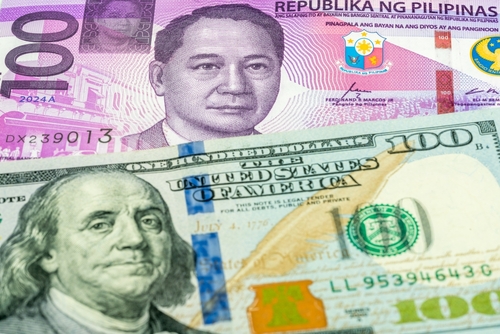

The Philippines is one of the world’s top remittance-receiving countries. Many people in the United States send larger amounts to support family, contribute to property purchases, pay for education, cover healthcare costs, or help with important celebrations.
If you’re sending $5,000 or more, you want the process to be clear and secure. Remitly offers one of its widest ranges of delivery options to the Philippines including home delivery, high sending limits, and no daily send limits.
Here’s how the process works.
Before You Start: What to Have Ready
Having these ready before you begin can help your transfer move smoothly.
| Documents and Details | Description |
| Valid Photo ID | Driver’s license or passport |
| Proof of Address | Utility bill or bank statement |
| Recipient’s Details | Full name (must match their government ID), phone number, and bank name and account number (if sending via bank deposit) |
| Source of Funds Information | May be requested for larger transfers |
Step 1: Set Up Your Remitly Account
Download the Remitly app or visit remitly.com. Create your account using your email address and password, then select the Philippines as your destination country.
The setup process takes just a few minutes.
If you already have an account, you can move to the next step.
Step 2: Verify Your Identity
Before sending, you’ll need to verify your identity. This is a standard step designed to help protect you and your money.
You’ll typically upload a government-issued photo ID. Proof of address may also be required. Once verified, higher sending limits become available.
Step 3: Enter Your Transfer Amount
Enter $5,000 — or the amount you’d like to send.
You’ll see:
- The exchange rate
- Any fees
- The exact amount in Philippine pesos your recipient will receive
Fees
Remitly charges transaction fees on transfers from the U.S. to the Philippines. You’ll see the full breakdown before confirming your transfer.
Payment Methods
For larger transfers, paying by bank account is an option. Debit and credit card options may also be available.
Step 4: Choose How Your Recipient Receives the Money
The Philippines has one of Remitly’s widest selections of delivery options:
- Bank deposit — sent directly to your recipient’s Philippine bank account, including BPI, BDO, Metrobank, and many more
- Cash pickup — available at many locations including Cebuana Lhuillier, M Lhuillier, SM, and more
- Mobile wallet — delivered to digital wallets such as GCash and PayMaya/Maya
- Home delivery — cash delivered by courier directly to your recipient’s address
Home delivery is available in only a few corridors, including the Philippines.
Step 5: Add Your Recipient’s Details
Enter your recipient’s information carefully:
- Full name (must match their government-issued ID exactly)
- Phone number
- Bank name and account number (if sending via bank deposit)
- Home address (if using home delivery)
For cash pickup, your recipient must bring a valid ID that matches the name on the transfer.
Review all details carefully before continuing. Errors can cause delays.
Step 6: Review and Confirm
Before sending, you’ll see a Send Summary showing:
- The amount you’re sending
- Any fees
- The exchange rate
- Your chosen delivery method
- Your recipient’s details
- The estimated delivery time
Review everything carefully. When you’re ready, tap Send.
Your money is on its way to the Philippines.
Step 7: Track Your Transfer
Once your transfer is sent, you can track it in real time in the Remitly app. You can also choose to receive updates by text message, email, or push notification.
Step 8: If Additional Information Is Requested
For larger transfers, Remitly may request additional information, such as the purpose of your transfer or the source of funds. Any requests will appear directly in the app.
Responding promptly can help avoid delays. Customer support is available 24 hours a day, 7 days a week.
Quick Tips for Sending to the Philippines
- Prepare your documents before you begin
- Use a bank account for payment when sending higher amounts
- Make sure your recipient’s name matches their government ID exactly
- Confirm whether bank deposit, cash pickup, mobile wallet, or home delivery is the best option
- You can send up to $100,000 in a single transfer from the US, with no daily send limits
Frequently Asked Questions (FAQs)
How much can I send to the Philippines in one transfer?
You can send up to $100,000 in a single transfer from the US to the Philippines. There are no daily send limits.
Are there fees for sending money to the Philippines?
There may be fees on your transfer to the Philippines depending on the delivery method you choose. You’ll see all the details before confirming.
What delivery options are available?
Delivery options include bank deposit, cash pickup, mobile wallet (including GCash and PayMaya/Maya), and home delivery.
What banks are supported for deposit?
Remitly supports deposits to major Philippine banks including BPI, BDO, Metrobank, and many more.
Why might additional information be requested?
For larger transfers, Remitly may ask about the purpose of your transfer or request proof of source of funds. Any request will appear in the app.
Is support available?
Yes. Customer support is available 24 hours a day, 7 days a week.