
You’ve secured a new client, completed the project, and sent your invoice. Now you’re ready to receive your payment. But just as you attempt to withdraw your funds or access your account, a notification appears asking you to verify your identity.
For many freelancers and remote workers, this can feel like an unexpected roadblock. It’s natural to wonder why the information is required, how long the process will take, or whether your personal data is secure.
In reality, identity verification is a standard and essential part of today’s digital financial landscape. Rather than being a hurdle, it is a safeguard — designed to protect you, your client, the platform, and the broader financial system from fraud and misuse.
Understanding what happens behind the scenes can turn uncertainty into a straightforward administrative task.
This guide explains what to expect during identity verification, why financial services require it, and how to prepare for a smooth experience.
Understanding the “Why” Behind Verification
In financial services, identity verification is commonly referred to as KYC, which stands for “Know Your Customer.”
Regulated financial platforms are legally required to verify the identity of the individuals using their services. This requirement helps prevent:
- Identity theft
- Money laundering
- Financial fraud
When a platform asks for identification documents, it is complying with local and international law designed to maintain security within the financial system.
For freelancers receiving international payments, this is particularly important. Because funds move across borders, financial providers must ensure that the person receiving the money is truly who they claim to be. This added layer of verification helps protect your earnings from unauthorized access.

Common Documents You May Need
While specific requirements vary by platform and country, most identity verification processes request similar documentation. Preparing these materials in advance can help reduce delays.
| Document Type | Common Examples and Details |
| Government-Issued Identification |
Note: Must be valid, unexpired, and the name must exactly match the name used to register your account. Small discrepancies can cause delays. |
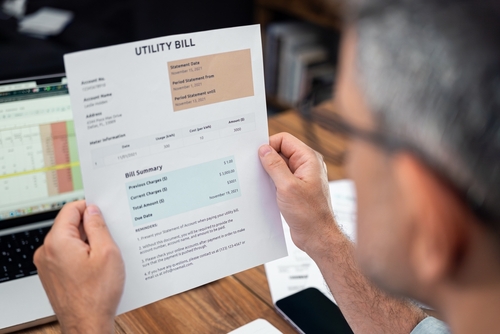
| Proof of Address |
Note: Generally must be recent, such as from the last three months. Required to confirm proof of residence, which confirms that you have a legitimate address. |
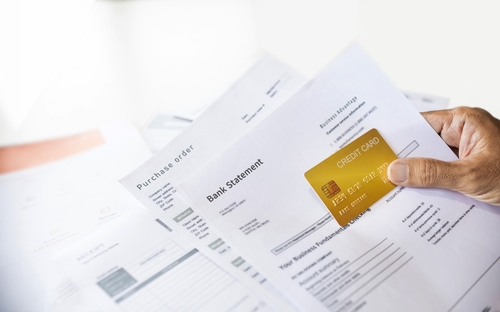
| Proof of Source of Funds (Sometimes Required) |
Note: Occasionally requested from freelancers to confirm that transactions will not be used for money laundering ; maintaining organized business records is helpful. |
General Verification Process: Step by Step
Although user interfaces differ across platforms, the general process typically follows these steps:
Step 1. Verification Request
You may receive a notification when signing up, when attempting your first withdrawal, or after reaching a certain transaction threshold.
Step 2. Uploading Documents
Most platforms allow you to upload documents directly through their mobile app or website.
Tips for submitting documents:
- Ensure all four corners of your ID are visible
- Avoid glare or flash reflection
- Use natural lighting when possible
- Confirm the image is clear and in focus
Some platforms may also request a selfie or short video to complete a “liveness check” and confirm that you are the person shown in the identification document.
Step 3. Review Period
After submission, your documents enter the review process. Many verifications are automated and completed quickly. However, manual review may be required if:
- The image quality is unclear
- Information does not match
- Additional compliance checks are triggered
Step 4. Confirmation or Resubmission
If approved, you will receive confirmation that your account is verified.
If there is an issue, you will typically receive instructions explaining what needs to be corrected — such as submitting a clearer image or updating expired identification — and be given the opportunity to resubmit.
Identity Verification for Remitly for Freelancers
If you use Remitly for Freelancers to receive international payments, identity verification may be required as part of the account setup or when certain transaction thresholds are reached.
Like other regulated financial service providers, Remitly must comply with Know Your Customer (KYC) and anti-money laundering (AML) law. The specific requirements may vary depending on your country of residence, the features you use, and your account activity.
While requirements can differ, freelancers may typically be asked to provide:
| Document Type | Details |
| Government-Issued Identification | A valid, unexpired government-issued ID, such as: Passport, National ID card, or Driver’s license (where accepted). The name on your account should match the identification exactly. |
| Additional Information (If Requested) | Depending on account usage or transaction volume, you may be asked for details like:
|
When Verification May Be Triggered
Verification may occur:
- During initial account registration
- Before your first withdrawal
- After reaching certain transaction thresholds
- If account details are updated
- If unusual activity is detected
If additional verification is required, you will typically receive a notification within the app or via email with instructions on next steps.
Tips for a Smooth Verification Experience
Verification is usually straightforward, but small mistakes can cause delays. The following practices can help:
Check Expiration Dates
Expired identification documents are a common reason for rejection.
Use Your Legal Name
Always register using your full legal name exactly as it appears on your identification.
Submit High-Quality Images
Take photos in a well-lit environment. Place your document on a flat surface and ensure it is fully visible and readable.
Respond Promptly
If the platform requests additional information, responding quickly can prevent prolonged account restrictions.
Security and Data Privacy
Sharing personal documents can feel sensitive, and caution is understandable.
Reputable financial service providers use encryption and security protocols designed to protect user information. Verification documents are collected to comply with legal requirements and prevent fraud. They are typically stored securely and handled in accordance with regulatory standards.
When uploading documents, always use the platform’s official app or website rather than sending files through unsecured channels.
Frequently Asked Questions
How long does verification usually take?
Processing times vary depending on the platform and your specific situation. Automated systems may complete verification quickly, while manual reviews may take longer if additional checks are required.
Can I use a nickname on my financial account?
It is recommended to register using your full legal name exactly as it appears on your government-issued ID. Mismatched details can lead to delays or rejected verification.
Why might I need to verify my identity again?
Re-verification may be required if your ID expires, if you update your personal information, or if you reach higher transaction thresholds that require enhanced security checks. We may also require reverification for fraud prevention or compliance reasons.
What happens if my documents are rejected?
If documents are rejected, the platform will usually provide a reason — such as unclear images, expired identification, or mismatched details — and allow you to resubmit corrected documents.
Is my information safe?
Regulated financial institutions must adhere to strict data security standards. Your information is used for compliance and fraud prevention purposes. Always ensure you are using reputable platforms and secure channels.